Every plant gets a history
Photos, repots, treatments, pests, flowering — all in one place instead of seven spreadsheets.
Track every plant, never miss a watering, and print QR labels — on your Mac or PC. Pay once. Works offline.
No account. No cloud. No subscription. The generator works right now, in your browser.
A spreadsheet stores rows. A collection is a history: repots, pest battles, treatments, flowering, photos — per plant, over years.
Photos, repots, treatments, pests, flowering — all in one place instead of seven spreadsheets.
See what's due, mark it done, and export the schedule to your phone's calendar. No account, no cloud.
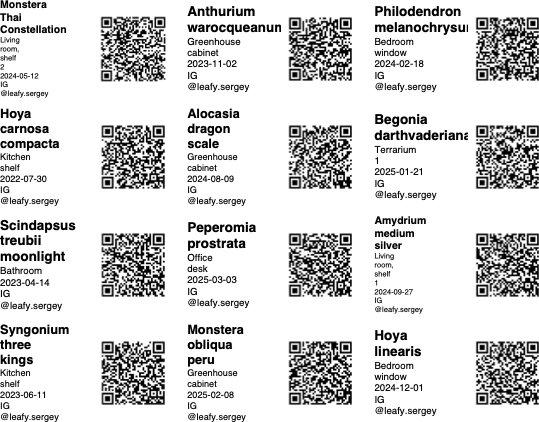
QR labels for pots and swap trays — any camera opens them, no app required.
CSV in, ordered collection out. Export everything back whenever you want.
Offline-first, no subscription, no tracking. Backup is a copy of one file.
Mark plants that are unsafe for cats and dogs, and filter the collection by it. Excel cannot do that.
Subscriptions are for reminders. A collection ledger is something you keep for years — so it is bought, not rented.
Updates are included for a year. After that, a new major version is $29 if you want it. The version you bought keeps working forever.
Early buyers get it for $49. Join the list to get that price.
I am building LeafLedger now, in public. Leave your email and I will write once when the desktop app is ready — one message, no newsletter, unsubscribe in one click.
Yes, both.
In a local file on your computer. Nothing is uploaded. The free label generator on this site does not even send your plant list to a server — it runs in your browser.
No. One-time purchase.
Included for a year, then $29 if you want the next major version.
30 days, no questions.
Yes, CSV import in one click. You can also export everything back to CSV whenever you want.
Because a label has to work for whoever ends up with the plant. The QR contains plain text — name, species, date, your swap contact — so any phone camera reads it without installing anything.